
Skin Changer
Local cosmetic previews
Library
The finish library on this PC
Local weapon, outfit and knife previews in supported titles. No inventory ownership is granted. Rob Run compatibility is not documented.
4 cosmetic rows continue lower on this page.
Overview
Preview a look inside a supported client
Where the finish is drawn, what stays out of your inventory, and how to check a title before checkout.
Skin Changer provides local cosmetic previews for supported games, including weapon finishes, character outfits and knife styles. The lightweight client changes what is drawn on your display. It does not grant ownership of those items.
Your account inventory does not receive a tradable cosmetic. The visual effect ends when the client closes. Confirm the exact title and cosmetic category with support before ordering; Rob Run support is not established by the main product description.
Client-side cosmetics and ownership
Weapon finishes, outfits and knife styles are preview categories in supported games. A local preview changes the client display; it does not purchase the original item, put it in inventory or make it tradable. Other players are not expected to see the same finish.
Check the specific game and item group
Compatibility is title-specific and can change after a game or Windows update. Ask support about the exact title, current build and cosmetic you want. Rob Run cosmetic support is not documented in the main menu summary. A generic Skin Changer listing is not evidence that Rob Run is included.
Before the client starts
The listed environment is Windows 10 or 11 with HVCI, Core Isolation, TPM and Secure Boot enabled. Internet and delivered loader access are required after purchase. Follow the supplied setup notes and keep your original configuration available if support needs to diagnose a problem.
Separate license and realistic expectations
Review the available access terms on the external checkout page. Cosmetic previews remain subject to the supported library and current build. They disappear when the client closes. A cosmetic-only purpose does not exempt software from game rules or account penalties. Read the Rob Run cosmetic compatibility guide for the distinction between a local preview and confirmed game support.
Groups
Cosmetic groups
These finish types are available once the cosmetic license is active.
- Presets for premium weapon finishes
- Presets for character outfits
- Presets for rare knife styles
- Coverage across major titles
- A lightweight client on this PC
- Cosmetic drawing on this screen only
- Monthly and lifetime cosmetic licenses
- Windows 10 and Windows 11 support
When access arrives
Shots, then portal access
Shot notes stay on the left side. The right side covers portal access, then how the menu is set up.
Shots
- Layer A
Cosmetic mark
Weapon finishes, character outfits, and knife styles are drawn on your screen alone.
More products
Other catalog products
The catalog beside this cosmetic client, with a separate page for each license.
- ROB RUN HACKS Aim assistance, player and vehicle ESP, loot markers, radar and bank helpers. View details: ROB RUN HACKS
- HWID Spoofer Review hardware identifier changes and the included trace cleaner. Rob Run support is not established by an anti-cheat family listing. View details: HWID Spoofer
- Cloud DMA Prepare a Hyper-V environment on one Windows PC. Check the separate service requirements for the Rob Run setup. View details: Cloud DMA
FAQ
Questions about this page
Answers for this page. The FAQ page holds the rest.
Blog
Related guides
Choose a topic for detailed menu explanations, device checks and product boundaries.
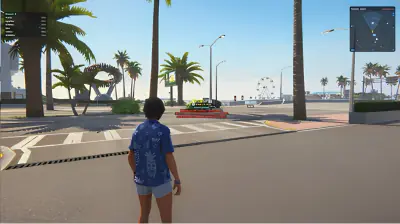
Separate local cosmetic previews from inventory ownership and confirm game support before buying.